
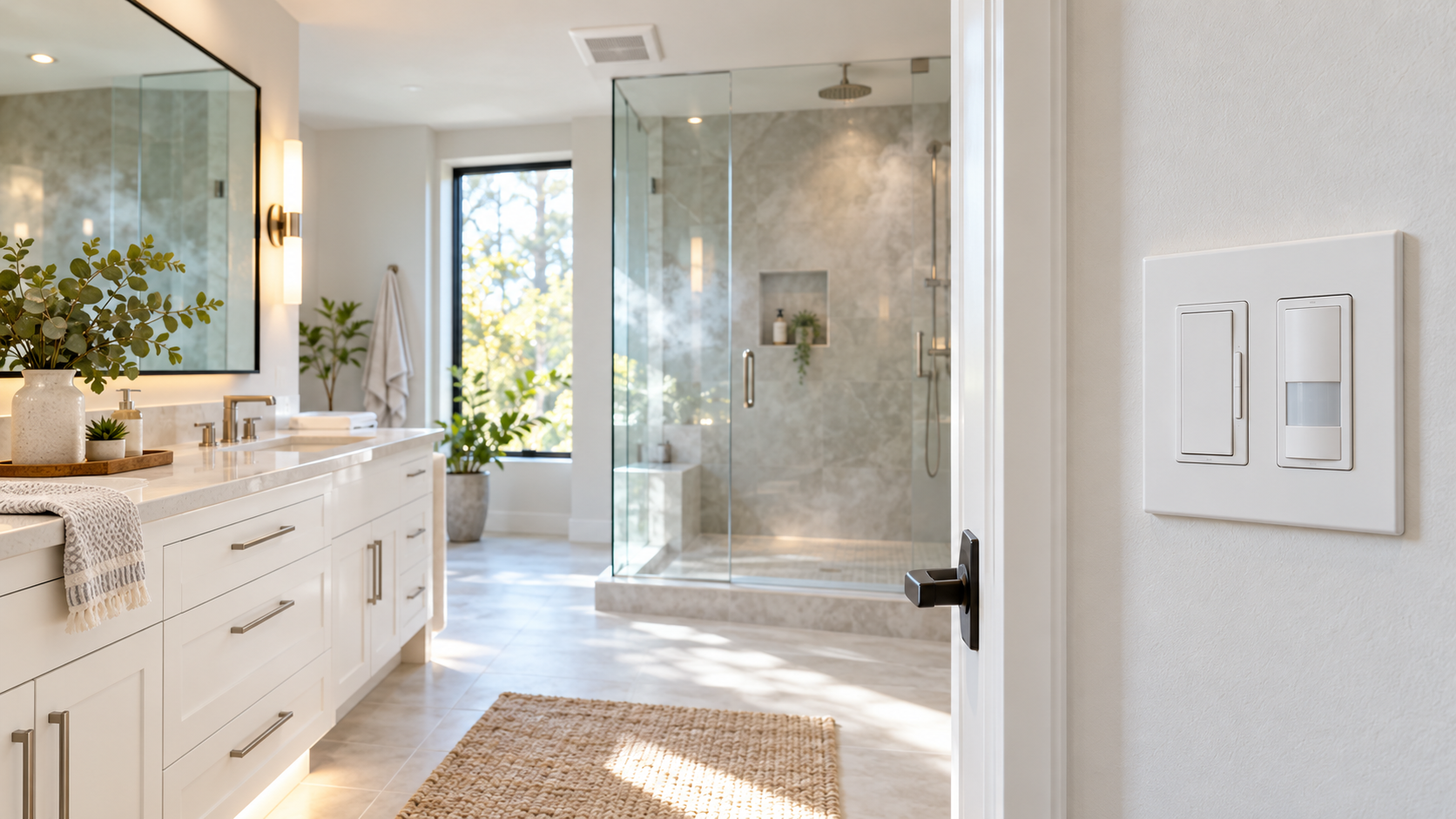
A bathroom exhaust fan is easy to forget. You turn it on before a shower, head out the door and come home hours later to a fan that’s still running. Or you shut it off too soon and leave the room damp. A bathroom fan timer switch fixes both problems, as long as you pick the right kind for your wiring and the way you use the room.
Lutron makes several controls that look alike on the wall but do different jobs. There’s a standalone Maestro countdown timer, a Maestro Dual control that dims the light and times the fan from one opening, the XactSense humidity sensor that turns the fan on by itself after a shower, and a dual circuit occupancy sensor that shuts off the light and fan when you leave. There’s also the Diva dimmer with Night Mode, which makes a great partner for the XactSense but is a lighting control, not a fan control.
The best choice comes down to three things: how your fan and light are wired, whether there’s a neutral wire in the box, and what you want to start and stop the fan: you, a timer, humidity or motion.
Bathroom Fan Timer Switches at a Glance
| Control | What it does | Fan rating | Neutral | Best for |
|---|---|---|---|---|
| Maestro Countdown Timer (MA-T51MN) | Runs the fan for 5 to 60 minutes, then shuts it off | 3A | Required | A fan that already has its own switch |
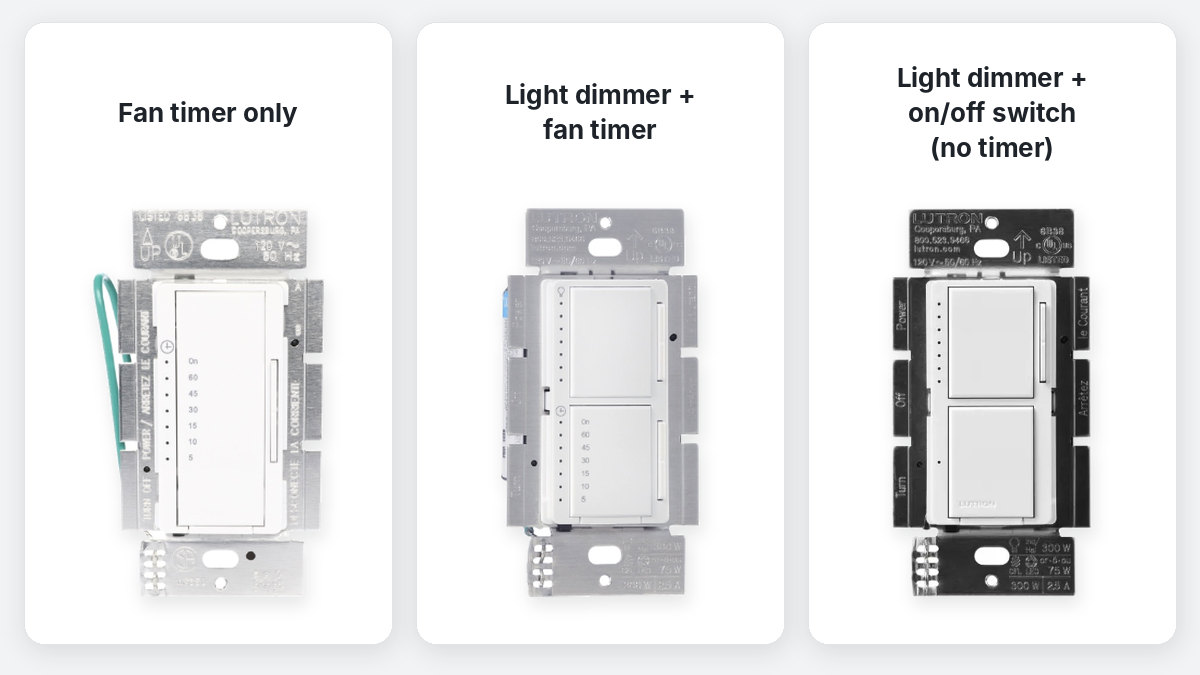
| Maestro Dual Dimmer/Timer (MACL-L3T251) | Dims the light on top, times the fan on the bottom | 2.5A | Not required | Light and fan from one wall opening |
| Maestro Dual Dimmer/Switch (MACL-L3S25) | Dims the light, turns the fan on and off | Check the product page | Not required | Light and fan from one opening, no timer |
| XactSense Humidity Sensor Switch (MS-HS3) | Turns the fan on when humidity rises, off after a set time | 3A (1/10 HP) | Neutral or ground | Hands free ventilation after showers |
| Maestro Dual Circuit Occupancy Sensor (MS-A202) | Turns the light and fan off when the room is empty | 4.4A (1/6 HP) per circuit | Neutral or ground | Light and fan that shut off on their own |
| Diva Dimmer with Night Mode (DVCLN-153P) | Dims the lights with a gentle rise at night | Not for fans | Not required | Pairing with an XactSense for the fan |
Ceiling Fan Controls Are Not Bathroom Fan Controls
This is the mistake we see most often. When you search for a Lutron “fan control,” most of what comes up is built for ceiling fans, the paddle style fans in a bedroom or living room. Controls like the Maestro Dual LED+ Dimmer and Fan Control (MACL-LFQ), the Diva Quiet Fan Speed Control and the Caseta wireless fan control change a ceiling fan’s speed. They’re not designed for a bathroom exhaust fan.
For an exhaust fan, you want a control that switches the fan fully on and off and is rated for a fan load: a timer, a humidity sensor or a fan rated occupancy sensor. Every control in this guide fits that description except the Diva Night Mode, which handles the lights.
1. Standalone Timer: Lutron Maestro Countdown Timer
If your bathroom already has one switch for the fan and another for the light, a standalone bathroom fan timer switch is the simplest upgrade, and this is the Lutron timer we sell the most of. The Lutron Maestro Countdown Timer (MA-T51MN) replaces the fan’s existing switch. Tap it once and the fan runs for the time you’ve set: 5, 10, 15, 30, 45 or 60 minutes. Orange LEDs show how much time is left, and the bottom LED blinks during the last minute.
Need the fan to run for a while longer? Double tap the paddle and it stays on with no countdown until you turn it off. You can also use it on a light, like a closet or garage light that tends to get left on.
The MA-T51MN is rated for 3A fans, including DC and high efficiency exhaust fans, plus up to 150W of LED lighting. It requires a neutral wire. If the fan is controlled from more than one location, pair it with a Maestro companion switch (MA-AS). A regular 3 way switch won’t work with it, but you can use up to nine companion switches with one timer.
Choose this when: your fan already has its own switch, there’s a neutral in the box and you want to start the fan yourself and know it will shut off.
2. Light and Fan in One Opening: Maestro Dual Dimmer/Timer
Many bathrooms have an old stacked switch, or just one single gang box, controlling both the light and the fan. That’s where the Lutron Maestro Dual LED+ Dimmer/Timer (MACL-L3T251) makes the most sense. It’s the best answer if you’re looking for a bathroom fan timer and light switch combo.
It does two jobs from one standard decorator opening:
- Top: a dimmer for the bathroom light, rated for up to 75W of dimmable LED or 300W of incandescent or halogen.
- Bottom: an on/off timer for the exhaust fan, adjustable from 5 to 60 minutes and rated up to 2.5A, including DC and high efficiency fans.
Unlike the standalone timer, the MACL-L3T251 doesn’t need a neutral wire, so it works in most older homes. It is single pole only, though, and it needs two separate load wires in the box: one going to the light and one going to the fan. If one wire runs both the light and the fan today, no dual control can split them without new wiring.
One of our own team members has a Maestro Dual Dimmer/Timer in his bathroom at home, and it’s a simple upgrade he’d recommend to anyone: the fan runs for a few minutes after a shower and shuts itself off, and the lights dim for late night trips.
Choose this when: you want to dim the light and have the fan shut off automatically, the light and fan have separate wires, and you only have room for one control.
Don’t Mix It Up With the Dual Dimmer/Switch
The Maestro Dual LED+ Dimmer/Switch (MACL-L3S25) looks almost the same, but the bottom control is a plain on/off switch, not a timer. It’s a good choice if you want two controls in one opening and don’t need the fan to shut off by itself. For more on the LED+ versions of both, see our post on Lutron Maestro Dual controls with LED+ technology.
3. Automatic Ventilation: Maestro XactSense Humidity Sensor Switch
A countdown timer only works if somebody remembers to start it. If you’d rather the fan handle itself, the Lutron Maestro XactSense Humidity Sensor Switch (MS-HS3-WH) turns the fan on when it senses humidity rising from a shower and turns it off once the run time ends.
You can set the run time to 5, 15, 30 or 45 minutes (30 is the default) and adjust both the humidity trigger and the sensitivity. It has three modes: Shower + Climate, Shower Only, and Air Cycle, which runs the fan once an hour for fresh air. You can still tap it to turn the fan on or off yourself whenever you want.
The MS-HS3 is rated for a 3A, 1/10 HP fan or a 3A combined fan and light. It’s single pole and connects to either a neutral or a ground wire, so it can go into many older boxes that don’t have a neutral. Follow the instructions and local code for the connection you use.
One setting to know: XactSense has ambient light detection that keeps the fan from turning on when the room is dark, so a humid night doesn’t wake anyone up. If someone in your home showers in the dark, adjust or turn off that setting during setup.
Choose this when: shower moisture is the main concern and you want the fan to run without anyone touching the switch.
4. Light and Fan That Shut Off on Their Own: Maestro Dual Circuit Occupancy Sensor
If the real problem is lights and fans left running in an empty room, a fan rated occupancy sensor is the answer. The Lutron Maestro Dual Circuit Dual Tech Sensor Switch (MS-A202) has two buttons that control two separate circuits, so the light and the fan each get their own button, and both shut off automatically after the room is empty.
Each circuit is rated for 6A of lighting or 4.4A (1/6 HP) of fan motor at 120V. It uses both passive infrared and ultrasonic sensing, so it picks up small movements and won’t shut off on you while you’re standing still at the sink. The timeout is adjustable to 1, 5, 15 or 30 minutes. It’s single pole and needs a neutral or ground connection.
Because it also runs on 120V to 277V for lighting, the MS-A202 works well in commercial restrooms and offices as well as homes. Like the dual dimmer/timer, it needs separate load wires for the light and the fan.
Choose this when: you want both the light and the fan to turn off by themselves when nobody’s in the room.
5. A Better Bathroom at Night: Diva Night Mode and XactSense
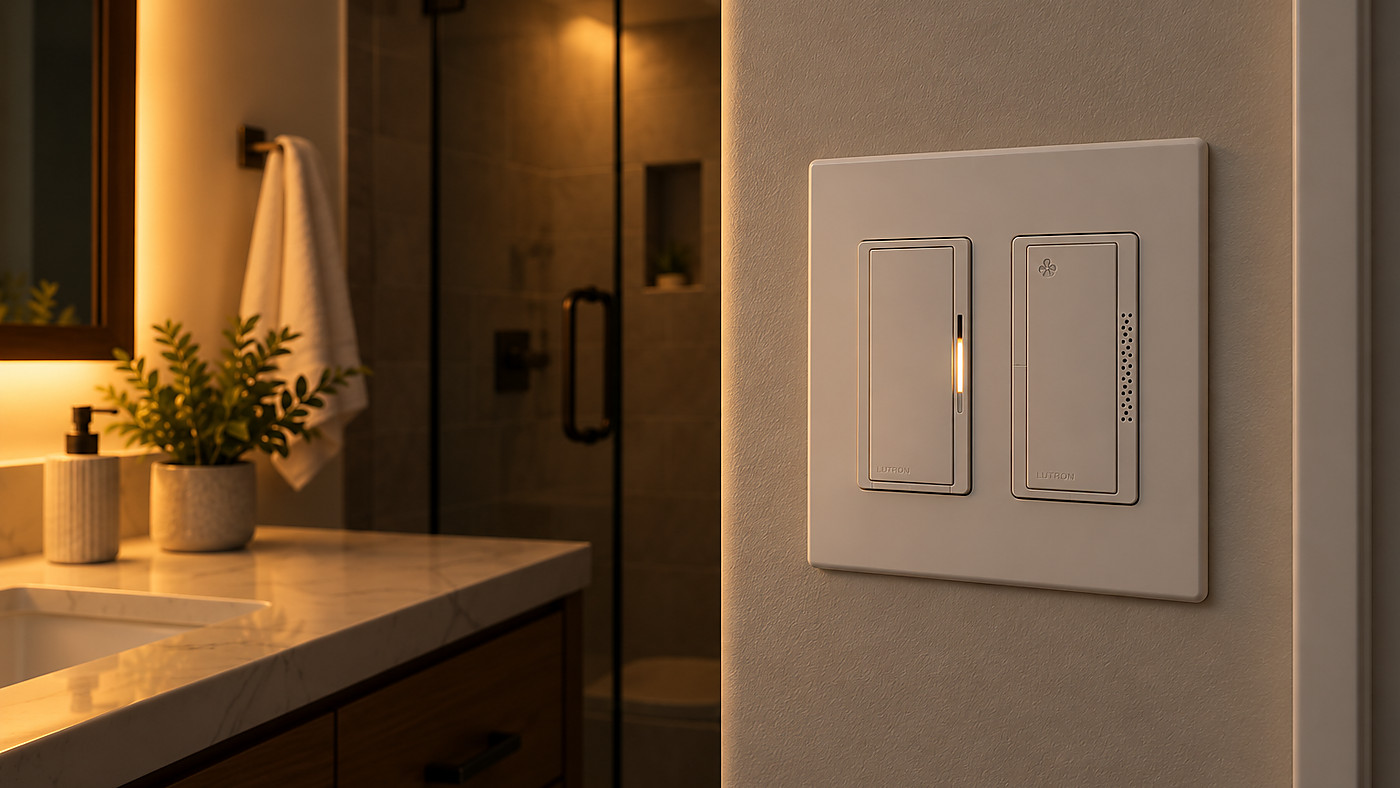
Lutron designed this pair specifically for bathrooms, and it’s one of our favorite upgrades. The Lutron Diva LED+ Dimmer with Night Mode (DVCLN-153P-WH) handles the lights, and the XactSense Humidity Sensor Switch handles the fan. Lutron calls them coordinated bathroom controls in its bathroom product sell sheet, and they fit side by side in a two gang Claro wall plate.
Here’s what each one does at night. The Diva’s soft glow light bar makes it easy to find in the dark. When the room is dark, Night Mode kicks in automatically, so the light rises gently to your preset level instead of blasting you at full brightness, then fades out slowly when you turn it off. Meanwhile, the XactSense takes care of the fan after a shower, and its ambient light detection keeps the fan quiet at night.
The Diva Night Mode works with up to 150W of dimmable LED or 600W of incandescent or halogen, needs no neutral and works in single pole or 3 way setups. Keep in mind the two devices don’t talk to each other. The Diva doesn’t tell the fan when to run. They’re two separate controls on two separate loads that happen to solve the two most common bathroom annoyances.
Timer, Humidity or Motion: What Should Run the Fan?
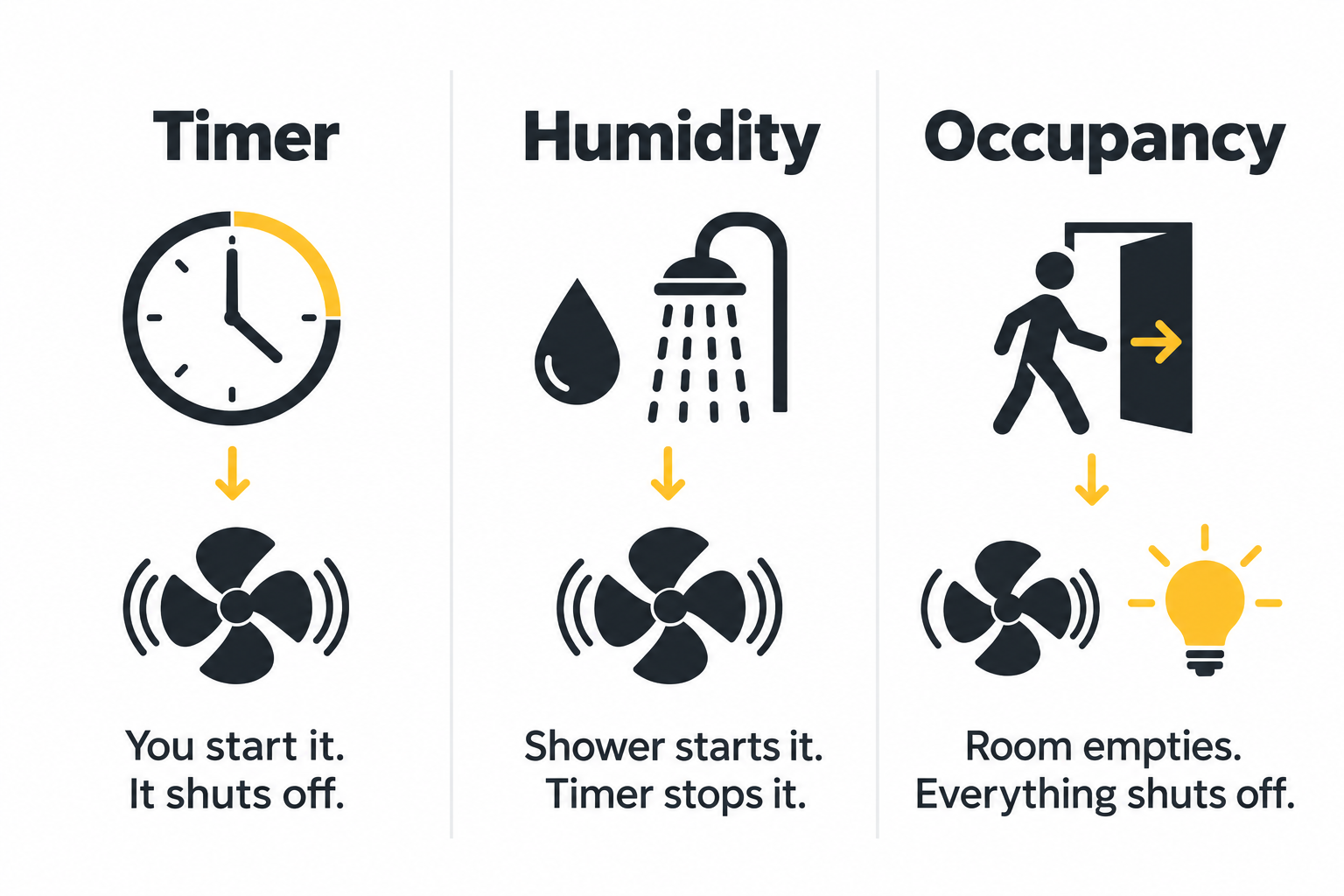
| Trigger | How it works | Best for | Lutron option |
|---|---|---|---|
| Countdown timer | You start it, and it shuts off after the time you set | People who like to control the fan themselves | MA-T51MN or MACL-L3T251 |
| Humidity sensor | Turns on when humidity rises, off after the run time | Hands free ventilation after showers | XactSense MS-HS3 |
| Occupancy sensor | Shuts the light and fan off when the room is empty | Rooms where things get left on, including commercial restrooms | MS-A202 |
Not sure which bathroom fan timer switch to pick? Think about what actually happens in your bathroom. If the fan gets forgotten, a timer or occupancy sensor fixes it. If the fan never gets turned on in the first place, humidity sensing is the better bet.
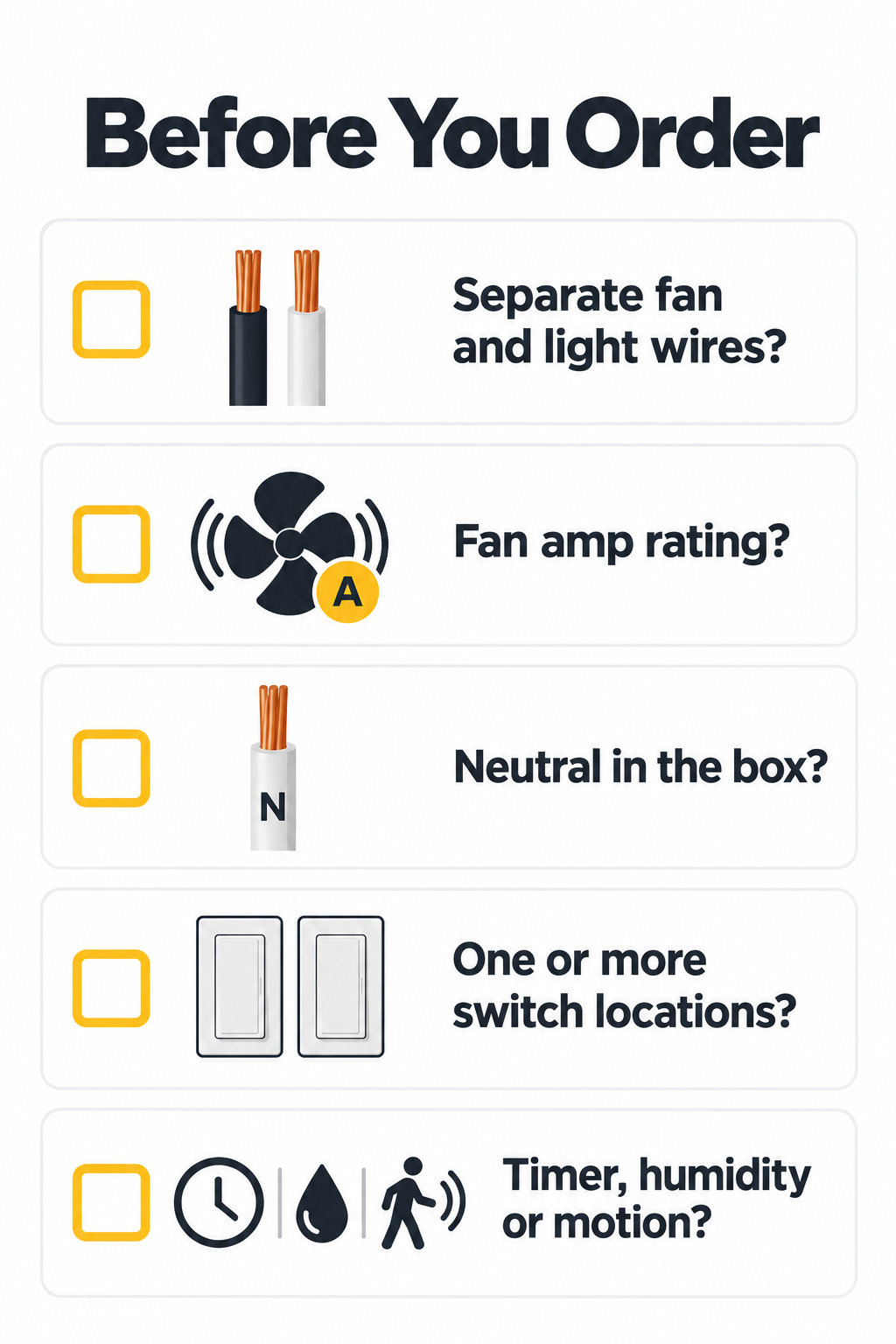
5 Things to Check Before You Order a Bathroom Fan Timer Switch
1. Are the fan and light on separate wires?
If the fan and light each have their own switched wire, you can use any control in this guide. If one wire runs both, a dual control can’t operate them separately without rewiring. Some fan and light combo units have separate leads, so check what actually reaches the switch box.
2. What’s the fan’s rating?
Find the amps on the fan’s label or spec sheet and compare it with the control’s fan rating, not its lighting wattage. The MA-T51MN and MS-HS3 handle 3A, the MACL-L3T251 handles 2.5A, and the MS-A202 handles 4.4A per circuit.
3. Is there a neutral wire in the box?
The MA-T51MN needs a neutral. The MACL-L3T251 and Diva Night Mode don’t. The XactSense and MS-A202 connect to a neutral or a ground.
4. How many switches control the fan?
The MA-T51MN works in multi location setups with Maestro companion switches. The MACL-L3T251, XactSense and MS-A202 are single pole.
5. What should turn the fan on and off?
Pick a timer if you want to start the fan yourself, humidity sensing if you want it to run on its own after showers, or an occupancy sensor if you want everything to shut off when the room empties.
Safety first: turn off the power at the breaker and confirm it’s off before you start. Follow the Lutron instructions and local code. If you’re not sure which wire goes where, have an electrician identify the wiring before you order.
Bathroom Fan Timer Switch FAQs
What is the best bathroom fan timer switch?
It depends on your wiring. If the fan has its own switch and there’s a neutral, the Maestro Countdown Timer (MA-T51MN) is the simplest choice. If you need to control the light and fan from one opening, go with the Maestro Dual Dimmer/Timer (MACL-L3T251). If you want the fan to run on its own after showers, choose the XactSense humidity sensor.
Does a bathroom fan timer switch turn the fan on automatically?
No. A countdown timer starts when you tap it and shuts the fan off when the time runs out. For a fan that turns on by itself, use the XactSense humidity sensor switch.
Can I use a Lutron ceiling fan control on a bathroom exhaust fan?
No. Lutron’s fan speed controls, like the MACL-LFQ and the Diva fan speed control, are built for paddle style ceiling fans. For an exhaust fan, use a timer, a humidity sensor or a fan rated sensor switch.
Do I need a neutral wire for a Lutron bathroom fan timer switch?
It depends on the model. The MA-T51MN needs a neutral. The MACL-L3T251 doesn’t. The XactSense and the MS-A202 occupancy sensor can connect to either a neutral or a ground.
Can one control handle the bathroom light and fan separately?
Yes, as long as the light and fan have separate wires. The MACL-L3T251 pairs a dimmer with a fan timer, the MACL-L3S25 pairs a dimmer with a plain switch, and the MS-A202 controls both with an occupancy sensor.
How long should a bathroom fan run after a shower?
Many people set 15 to 30 minutes, but it depends on the size of the room, how steamy it gets and the fan’s capacity. Start with 20 or 30 minutes and adjust if the mirror or walls stay damp. The XactSense removes the guesswork by watching the humidity for you.
Does the Diva Night Mode control the bathroom fan?
No. The Diva Night Mode is a dimmer for the lights. It pairs well with an XactSense or a Maestro timer on the fan, but it doesn’t sense humidity or time the fan.
Shop Bathroom Fan Controls at PROLIGHTING
Choosing a bathroom fan timer switch starts with the wiring and ends with how you want the fan to behave. For a fan with its own switch and a neutral, start with the Maestro Countdown Timer. For a light and fan in one opening, compare the Maestro Dual Dimmer/Timer. For a fan that runs itself, look at the XactSense humidity sensor, and for easier nights, add the Diva Night Mode dimmer.
Browse all Lutron Maestro controls and our bathroom controls. Need help matching the control to your fan? Contact our lighting specialists with your fan’s model number and a quick description of your current switches, and we’ll point you to the right one.
Published October 2026



Comments are closed.