

Lutron’s DIY Caséta line has come a long way since it launched in 2014 with a single in-wall dimmer and a plug-in lamp dimmer. It was the first smart lighting product to put professional grade lighting control in reach of anyone with a screwdriver. The range now covers smart dimmers, switches and plugs for indoors and out, and the Caseta Smart Hub is what ties them together. So what does the hub actually do, and when do you need one?
Short version: the Caséta Smart Hub is the control center for your Caséta devices. It uses Lutron’s Clear Connect wireless technology to talk to your switches, dimmers, fan controls, Pico remotes and sensors, and it connects to an open LAN port on your router with the included Ethernet cable.
That last detail matters more than it sounds. The hub doesn’t run over Wi-Fi. Clear Connect is a separate RF band, so your lighting isn’t competing with everything else on your network, and local control keeps working when the internet goes down.

What Features Does the Caséta Smart Hub Support?
The hub lets you control your Caséta devices through the Lutron app, whether you’re on your home network or on the other side of the country. It supports up to 74 wireless devices per hub.
With the hub in place, the app adds scenes, schedules and third party voice assistants including Google Home, Amazon Alexa and Apple HomeKit.
A few things that get used more than the spec sheet suggests:
- Devices switch automatically based on your phone’s location, using Arriving and Leaving Home geofenced scenes, or Smart Away.
- The Lutron app widget puts a scene one tap from your home screen.
- Schedules can follow sunset rather than the clock, so the house is lit when you get home in January and in June.
- A custom scene can drop the lights and the shades together for movie night.
- You can shut off every light in the house from bed.
What Third Party Systems Work With It?
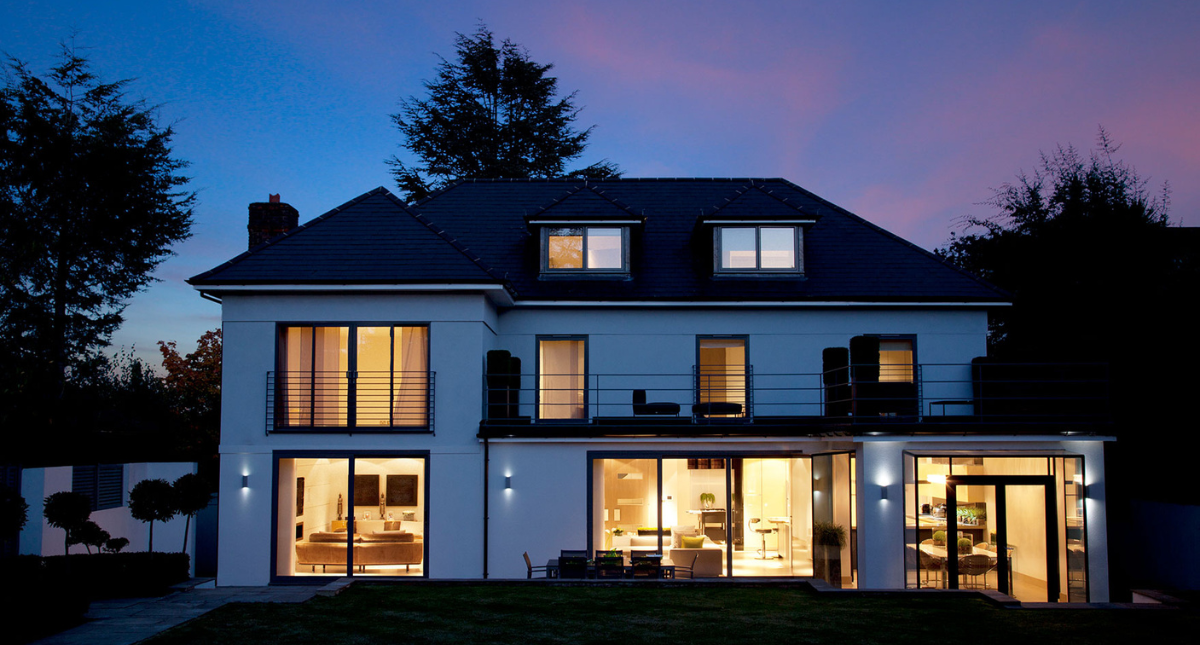
The Caséta Smart Hub integrates with more smart home platforms than any other smart lighting control brand, which means you can build the system you want and run it the way you like: the free Lutron app, a Pico remote, a voice assistant, or automated schedules. At 74 devices per hub, there’s room to grow into it.
Apple HomeKit gives you control through iOS and Siri. Amazon Alexa handles voice commands. Google Home connects the Google Assistant to your lighting. Beyond those three, the hub supports a long list of other connected home platforms.

Caséta Smart Hub vs Smart Hub PRO
Both hubs look identical from the outside, and the honest answer is that they’re nearly identical inside too. Twelve of the fourteen features on Lutron’s comparison are shared. Here’s the full breakdown:
| Feature | Smart Hub (L-BDG2-WH) |
Smart Hub PRO (L-BDGPRO2-WH) |
|---|---|---|
| Supports up to 74 wireless devices (Caséta dimmers, plug-in dimmers and switches, Pico remote controls, wireless shades) | Yes | Yes |
| Programmed via the Lutron App (iOS and Android) | Yes | Yes |
| Scene control via the Lutron App | Yes | Yes |
| Timeclock scheduling of daily events via the Lutron App | Yes | Yes |
| Connects to Wi-Fi router via Ethernet | Yes | Yes |
| Local device operation continues if the internet drops or the hub is powered down | Yes | Yes |
| System access from anywhere in the world using the Lutron App | Yes | Yes |
| Supports Caséta Wireless devices, Serena shades and Pico remote controls | Yes | Yes |
| Control outside the app via widgets (iOS and Android) | Yes | Yes |
| Supports geofencing from the Lutron App | Yes | Yes |
| Control from Apple Watch | Yes | Yes |
| Supports Siri and Apple HomeKit technology* | Yes | Yes |
| Supports Sivoia QS, Triathlon and select Sivoia QS Wireless shades (venetian and horizontal sheer blinds not supported) | No | Yes |
| Integration with select A/V and security systems | No | Yes |
*HomeKit requires an iPhone, iPad or iPod touch running iOS 8.1 or later. Controlling HomeKit accessories from home also requires an Apple TV (3rd generation or later) with Apple TV software 7.0 or later. The Smart Hub enables plug-in lamp dimmers to work with HomeKit.

So Which Caseta Smart Hub Do You Need?
Read the table and the decision gets simple. There are exactly two things the PRO does that the standard hub doesn’t.
Buy the standard Smart Hub (L-BDG2-WH) if you’re running Caséta devices, Serena shades and Pico remotes with the Lutron app and a voice assistant. That covers the overwhelming majority of homes, and everything in the first twelve rows above is included. You are not giving up scenes, schedules, geofencing, remote access or HomeKit by choosing it.
Buy the Smart Hub PRO (L-BDGPRO2-WH) in two cases:
- You have Sivoia QS or Triathlon shades to bring into the system. Note that venetian and horizontal sheer blinds aren’t supported either way.
- You’re integrating with a third party A/V, whole home or security system. This is the common one on custom installation jobs, where a control processor needs to talk to the lighting.
Note: certain A/V, whole home and security system integrations require the Smart Hub PRO. Check that third party’s documentation to confirm compatibility before you buy.
If neither applies, the standard hub is the right purchase and the extra spend on the PRO buys you nothing you’ll use.
What If the Hub Can’t Reach a Device?
Clear Connect is reliable, but range isn’t infinite. Dense walls, a large footprint, or a hub sitting in a closet at one end of the house can leave a device at the edge intermittent.
The fix is the Caséta Smart Hub Repeater (PD-REP-WH), which extends range up to 60 feet from the hub. It plugs into any outlet with the included adapter and needs no Ethernet run of its own. If you’re planning a whole home system rather than a room or two, price one in from the start rather than troubleshooting later.
Caséta Smart Hub FAQs
Do I need a Caséta Smart Hub?
Not for basic dimming. Caséta dimmers and switches work on their own, and a Pico remote pairs directly with them without a hub. You need the hub for the Lutron app, scenes, schedules, geofencing, remote access from outside the home, and any voice assistant.
How many devices does the Caséta Smart Hub support?
Up to 74 wireless devices per hub, counting Caséta dimmers, plug-in dimmers and switches, Pico remotes and wireless shades. Both the standard hub and the PRO share that limit.
Does the Caséta Smart Hub use Wi-Fi?
No. It connects to your router over Ethernet and talks to devices using Lutron’s Clear Connect RF. That’s why it doesn’t compete with your Wi-Fi traffic and why local control keeps working if the internet goes out.
What is the difference between the Smart Hub and the Smart Hub PRO?
Two things: the PRO supports Sivoia QS and Triathlon shades, and it integrates with select third party A/V and security systems. Everything else is identical.
Will my lights still work if the internet goes down?
Yes. Local device operation continues if the internet drops or the hub is powered off. You lose remote access and voice control until it’s back, not the switches on your walls.
Does the Caséta Smart Hub work with HomeKit?
Yes, both hubs support Siri and Apple HomeKit, including control from an Apple Watch.
Browse the entire line of Lutron Caséta products at PROLIGHTING, or check Lutron’s integration list if you’re matching the PRO to a specific third party system. Need help? Contact us today.
PROLIGHTING® is an Authorized Distributor of Lutron Caséta.
Updated September 2026

Comments are closed.